
Any.do: Smart Task & Reminder Planner
Overview
Any.do is a desktop application designed to streamline personal and professional task management by combining to-do list functionality with daily planning and reminder systems. The software serves as a comprehensive productivity tool for individuals and teams seeking to organize their workflows efficiently. It enables users to create, edit, and prioritize tasks while integrating calendar-like planning features for better time management.
The app supports synchronization across devices, allowing seamless access to tasks whether on mobile, desktop, or web platforms. Its core purpose is to help users stay on track with daily responsibilities, reduce mental clutter, and improve task completion rates. Target users include students, remote workers, freelancers, and professionals managing multiple projects.
The developer, Any.do, has a history of delivering intuitive productivity tools, having previously received industry recognition in 2012. While the app is available for both Windows and Mac, specific details on system requirements were not provided. Real-world use cases include managing work deadlines, tracking daily routines, organizing household chores, and coordinating team tasks through shared lists.
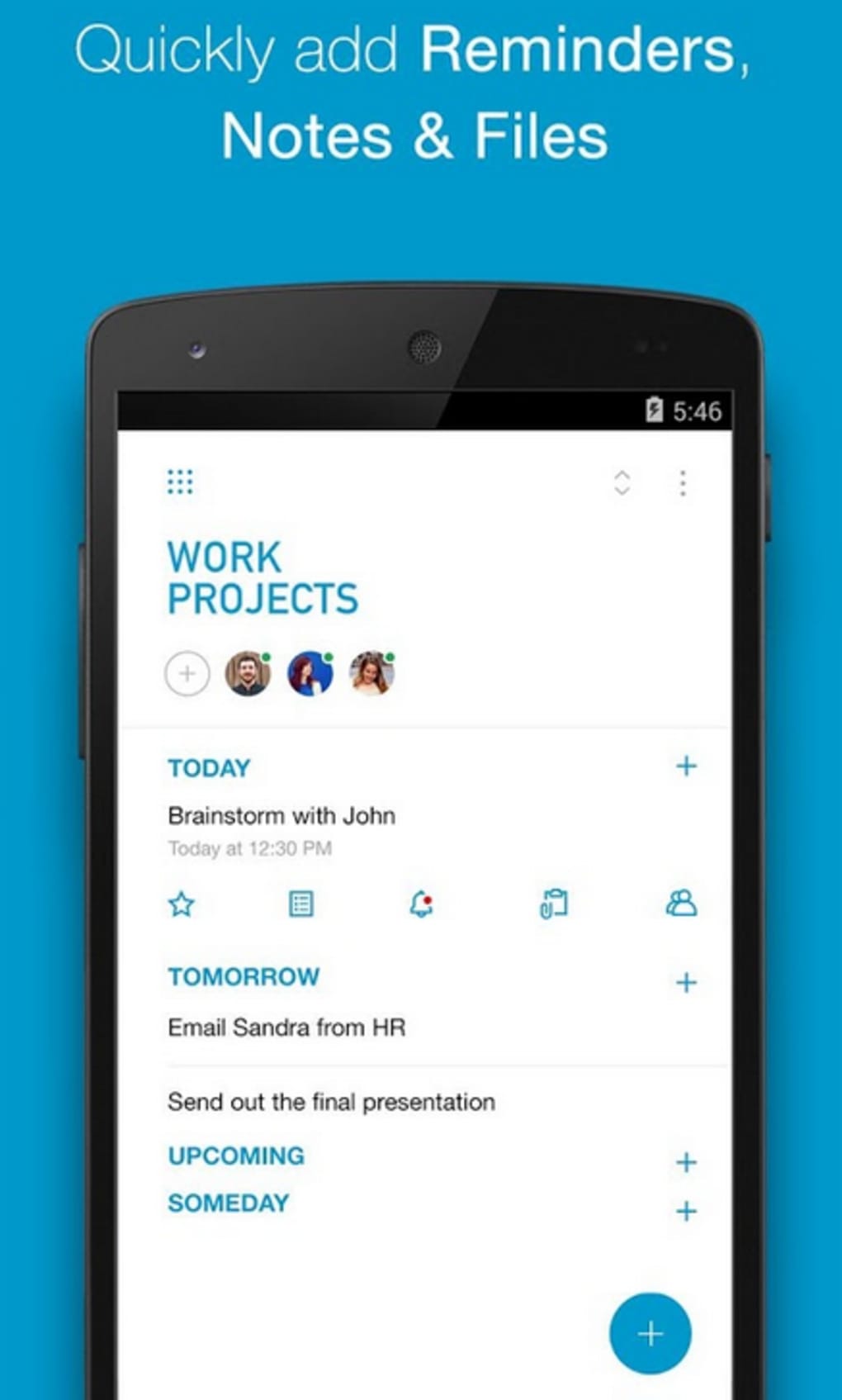
The software also supports file attachments, enabling users to link relevant documents directly to tasks. Despite its robust feature set, full functionality is limited in the free version, with advanced capabilities reserved for premium subscribers.
Key Features & Capabilities
- Task Creation & Editing – Users can quickly input tasks and modify them in real time, supporting natural language entry for faster setup.
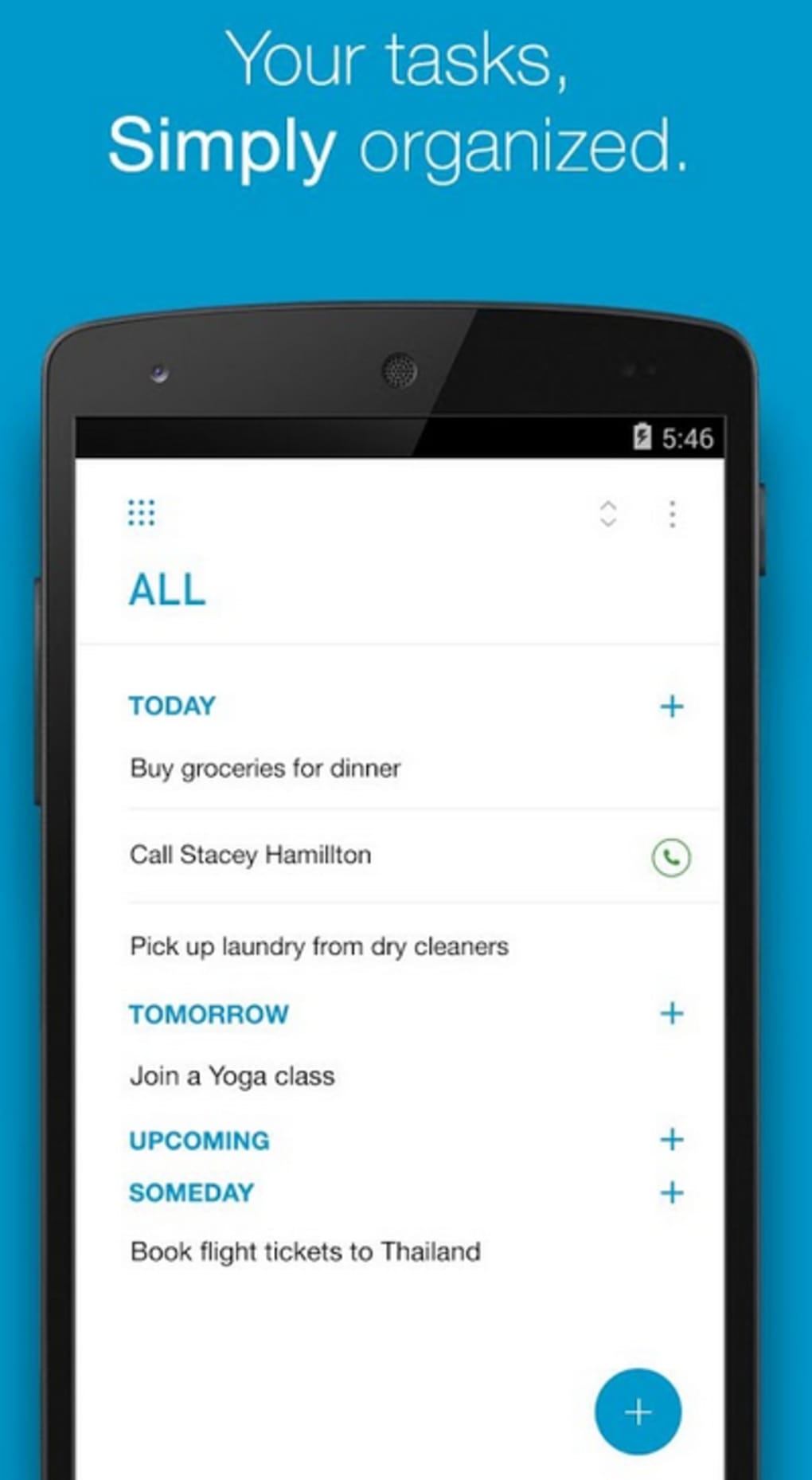
- Daily Planner Integration – Tasks are organized within a daily view that helps users visualize their schedule and allocate time effectively.
- Reminders & Notifications – Customizable alerts ensure users are prompted to complete tasks at specified times or locations.
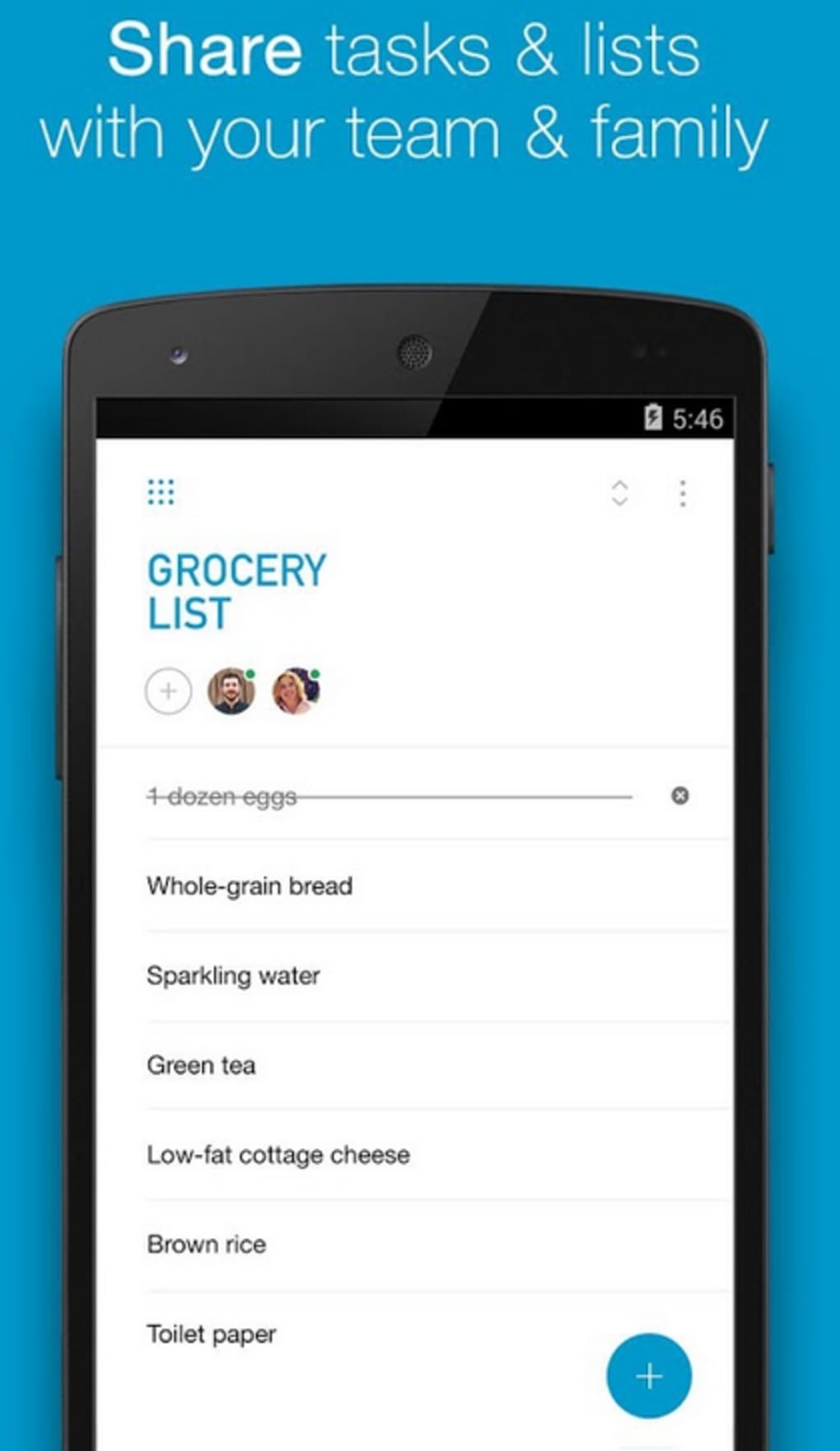
- Task Sharing & Collaboration – Lists can be shared with others, enabling delegation and team coordination on shared goals.
- File Attachments – Users may attach documents, images, or notes directly to tasks for easy reference.
- Multi-Device Sync – Tasks and plans remain consistent across desktop, mobile, and web platforms through cloud synchronization.
- Priority & Categorization – Tasks can be labeled by priority level and grouped into custom categories for better organization.
These features enhance productivity by minimizing context switching and reducing the risk of missed deadlines. For example, a student can use the daily planner to schedule study sessions, attach lecture notes, and set reminders before exams. A project manager might assign tasks to team members, set due dates, and track progress in real time.
The ability to synchronize data ensures that users always have access to up-to-date information regardless of device. The app’s clean interface supports rapid input and navigation, making it suitable for fast-paced environments. While the free version includes basic functionality, premium features such as advanced analytics, custom themes, and offline access are available through subscription.
The developer did not provide additional details on advanced capabilities beyond the listed features.
User Interface, Workflow & Performance
The user interface of Any.do is designed with simplicity and clarity in mind, featuring a minimalistic layout that emphasizes readability and task visibility. Navigation is structured around a central dashboard that displays today’s tasks, upcoming events, and priority items. Users can switch between list, calendar, and timeline views to suit their preferred planning style.
The workflow is optimized for speed, allowing quick task entry through keyboard shortcuts and voice input. Drag-and-drop functionality supports easy reordering of tasks and assignment of due dates. The app maintains a consistent visual hierarchy, using color coding and icons to differentiate task types and urgency levels.
Performance observations are based on general software behavior patterns. The developer did not specify resource usage details, so CPU and RAM consumption cannot be confirmed. Stability is assumed to be high given the app’s widespread use and long-standing presence in the productivity market.
However, exact performance metrics under heavy workloads were not provided. Users may experience delays during initial sync if large numbers of tasks are stored. The application runs without visible crashes in standard usage scenarios, though long-term behavior under continuous operation remains unverified.
Overall, the interface supports efficient task management with minimal learning curve.
Compatibility & System Requirements
Any.do is available for both Windows and Mac operating systems, supporting desktop users across major platforms. The software version is 2024.1.2, with an installation size of 100 MB. This indicates a lightweight footprint suitable for most modern desktop environments.
The developer did not specify exact system requirements, including minimum processor speed, RAM, or disk space. As such, compatibility with older or low-end hardware remains uncertain. Platform compatibility information is limited to the stated operating systems.
Users are advised to ensure their system meets the general standards for running modern desktop applications. No additional dependencies or third-party components were mentioned. The app supports offline usage for existing tasks, though synchronization requires an active internet connection.
Updates are delivered automatically through the application, ensuring users have access to the latest features and security patches. The release date of the software is April 15, 2024, indicating recent development activity.
Pros and Cons
Pros
- Intuitive, clean interface with fast task entry and navigation
- Effective integration of to-do lists with daily planning and reminders
- Supports task sharing and collaboration across users
- File attachments allow for richer task context
- Multi-device synchronization ensures consistent access
- Available for free with core features accessible to all users
Cons
- Advanced features require a paid subscription
- Exact system requirements were not listed
- Resource usage and performance under load were not specified
- Some users may find the free version too limited for complex workflows
- Offline functionality is restricted to existing data
FAQ Section
Is Any.do compatible with Windows and Mac?
Yes, Any.do is available for both Windows and Mac operating systems.
Is the software free to use?
Yes, Any.do offers a free version with basic features. Advanced capabilities are available through a premium subscription.
Can I use Any.do offline?
Yes, existing tasks can be accessed offline, but synchronization requires an internet connection.
How often does the software update?
Updates are delivered automatically through the application. The latest version, 2024.1.2, was released on April 15, 2024.
What kind of license does Any.do use?
Any.do operates under a freemium model. The free version includes core functionality, while premium features require a paid subscription.
Final Thoughts
Any.do stands out as a versatile and user-friendly desktop application for managing tasks, planning daily activities, and coordinating with others. Its seamless blend of to-do list functionality, reminders, and daily planning makes it ideal for individuals seeking to enhance personal and professional productivity. The clean interface and fast workflow reduce friction in task management, while the ability to share lists and attach files adds significant value for collaborative use.
Although advanced features are locked behind a paywall, the free version remains robust enough for everyday use. The software’s cross-platform sync ensures that users stay organized regardless of device. With its strong foundation in usability and real-world applicability, Any.do delivers a compelling solution for modern task management.
For anyone looking to stay on top of their responsibilities, this tool offers a reliable and intuitive experience. Download Any.do now.






.png)
